FadingPainterTState Class
Helper class for buffered fading animations. The host control must implement the
ISupportsFadingTState interface.
Namespace: KGySoft.WinForms.ControlsAssembly: KGySoft.WinForms (in KGySoft.WinForms.dll) Version: 5.0.1
public class FadingPainter<TState> : IDisposable
Public Class FadingPainter(Of TState)
	Implements IDisposable
generic<typename TState>
public ref class FadingPainter : IDisposable
type FadingPainter<'TState> =
    class
        interface IDisposable
    end
- Inheritance
- Object FadingPainterTState
- Implements
- IDisposable
Type Parameters
- TState
- The type of the state object.
The following image illustrates a custom control that uses the FadingPainterTState class:
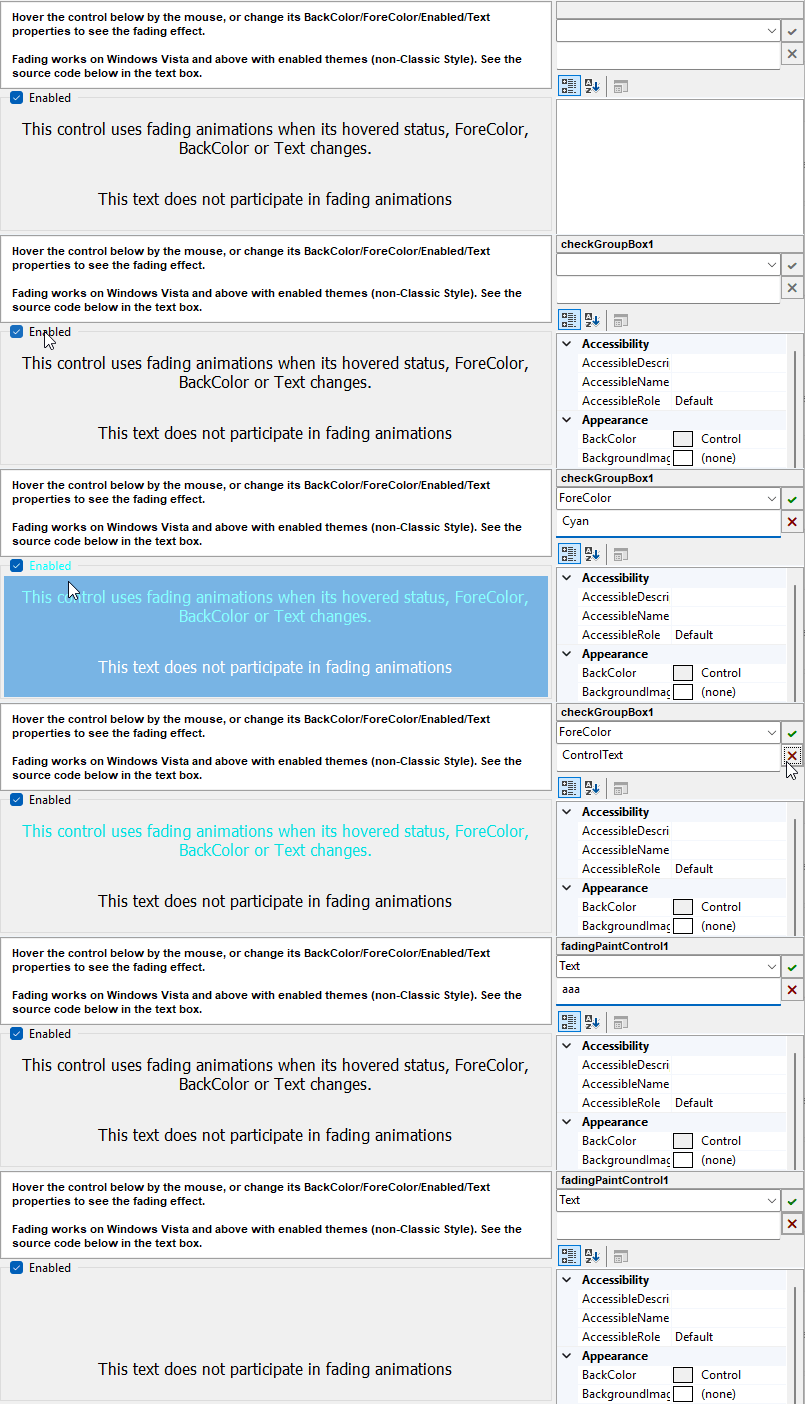
The image above is from the
example application.
At the
Releases page of the project repository you can download it as executable binaries as well.
The example is located under the
Misc Tests /
Custom fading control demo menu, displaying also the source code of the control.
| Control |
Gets the host control.
|
| State |
Gets or sets the stored last state explicitly. Setting this property does not invalidate the host control.
|
| Dispose | Performs application-defined tasks associated with freeing, releasing, or resetting unmanaged resources. |
| Dispose(Boolean) |
Disposes the resources used by the FadingPainterTState class.
|
| GetSpeed |
Gets the speed of the fading animation between the two specified states.
When not overridden, the host's GetFadingAnimationSpeed
is requested. If that returns a negative value, FadingAnimationDefaultSpeed is used.
|
| OnThemeChanged |
Called when the Windows theme has changed.
|
| Paint |
Invokes the PaintState method of the host control if State has been changed.
If buffered fading animations are not available, it acts a regular painting session.
|
| StateEquals |
Gets whether the specified states are equal.
|
| StopAnimations |
Stops all animations for the host control.
|
